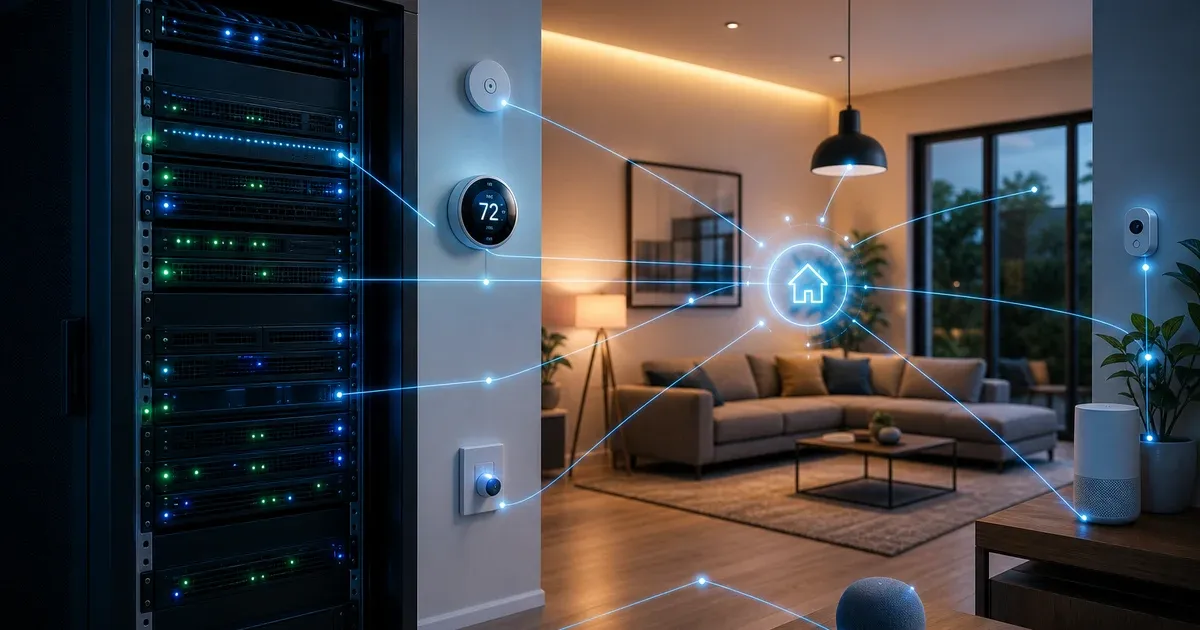
Home Assistant на VPS: умный дом с удалённым доступом — полный гайд
Home Assistant на VPS: Docker, MQTT, Zigbee2MQTT, SSL, Tailscale, интеграции и автоматизации. Self-hosted альтернатива SmartThings и Apple Home.
Краткий ответ: Home Assistant (HA) — open-source платформа умного дома: 2000+ интеграций, автоматизации, dashboards, voice. На VPS: Docker + MQTT Mosquitto + SSL/Tailscale для remote access. Локальные устройства — через gateway (Zigbee2MQTT, ESPHome) at home, HA cloud на VPS.
Apple HomeKit и Google Home — чужие облака. HA на вашем VPS = automations без лимитов, privacy, интеграция с n8n, Grafana, Telegram alerts.
Гигантский гайд: архитектура split-brain (VPS + home gateway), полный setup, 50+ integrations, automations YAML, troubleshooting.
Содержание
- Архитектура: VPS HA + home gateway
- Когда HA на VPS имеет смысл
- Требования VPS и home hardware
- Docker Compose full stack
- MQTT broker (Mosquitto)
- Zigbee2MQTT remote setup
- ESPHome devices
- SSL, reverse proxy, Tailscale
- Lovelace dashboards
- Automations (50 примеров patterns)
- Node-RED vs HA automations
- Voice assistants (Whisper, Piper)
- Energy monitoring
- Camera / Frigate NVR
- Integrations catalog
- Backup и restore
- Updates и migration
- Security hardening
- Performance tuning
- Troubleshooting encyclopedia
Home Assistant vs альтернативы
| Home Assistant | Apple HomeKit | Google Home | SmartThings | |
|---|---|---|---|---|
| Self-hosted | Да | Нет | Нет | Partial |
| Integrations | 2000+ | Limited | Limited | Good |
| Automations | Unlimited YAML/UI | Basic | Basic | Medium |
| Local control | Да (with gateway) | Apple hub | Cloud | Mixed |
| Privacy | Your server | Apple | Samsung | |
| VPS deploy | Да | N/A | N/A | N/A |
| Cost | VPS + devices | Hardware $$$ | Devices | Devices |
| Open source | Да | Нет | Нет | Partial |
HA — стандарт self-hosted smart home для энтузиастов и advanced users.
Архитектура split: VPS + Home
┌─────────────────────────────────────────────┐
│  HOME (ваша квартира)                       │
│  Zigbee USB → Raspberry Pi / mini PC        │
│  Zigbee2MQTT ──MQTT──┐                      │
│  ESPHome devices ────┤                      │
│  Local sensors ──────┤                      │
└──────────────────────┼──────────────────────┘
                       │ MQTT over TLS / Tailscale
                       ↓
┌─────────────────────────────────────────────┐
│  VPS (StormNet Cloud)                       │
│  Home Assistant Core                        │
│  Mosquitto MQTT broker                      │
│  Node-RED (optional)                        │
│  InfluxDB + Grafana (optional)              │
│  Nginx SSL / Tailscale Serve                │
└─────────────────────────────────────────────┘
                       ↓
              Mobile app / Voice / [n8n](/blog/n8n-self-hosted/)
Почему split? Zigbee/Z-Wave USB dongle физически дома. VPS — always-online brain для remote access, heavy automations, integrations с cloud APIs.
Alternative: HA полностью дома на Raspberry Pi 4 + Tailscale для remote. VPS вариант — когда нужен uptime 24/7 и интеграция с DevOps stack.
Когда HA на VPS — правильный выбор
| Сценарий | VPS HA | Local HA |
|---|---|---|
| Remote monitoring дачи/квартиры | ✅ | Needs tunnel |
| Dev/test automations | ✅ | ✅ |
| Zigbee primary network | Gateway at home | ✅ Better |
| Camera NVR heavy | VPS 8 GB+ | Local NUC |
| Integration with cloud CI | ✅ | Harder |
| Internet down — local control | Needs local fallback | ✅ |
Рекомендация: production = local HA primary + VPS replica/remote access OR VPS HA + home MQTT gateway only.
Требования
VPS
| Setup | RAM | CPU | Disk |
|---|---|---|---|
| HA + MQTT minimal | 2 GB | 2 vCPU | 20 GB SSD |
| HA + Node-RED + InfluxDB | 4 GB | 2–4 vCPU | 40 GB SSD |
| HA + Frigate 4 cameras | 8 GB | 4 vCPU | 100 GB SSD |
| HA + everything | 16 GB | 4–8 vCPU | 200 GB NVMe |
Home gateway (для Zigbee)
| Hardware | Цена | Notes |
|---|---|---|
| Raspberry Pi 4 2GB | ~$45 | Zigbee2MQTT host |
| Sonoff Zigbee 3.0 USB | ~$15 | CC2652 coordinator |
| Orange Pi 5 | ~$80 | More powerful |
| Old laptop | Free | x86, stable |
Gateway connects to VPS MQTT via Tailscale (recommended) or MQTTS public.
Docker Compose (production stack)
services:
  homeassistant:
    image: ghcr.io/home-assistant/home-assistant:stable
    restart: unless-stopped
    privileged: true  # для некоторых integrations
    network_mode: host  # mDNS discovery (optional, security tradeoff)
    volumes:
      - ./ha-config:/config
      - /etc/localtime:/etc/localtime:ro
    environment:
      - TZ=Europe/Moscow

  mosquitto:
    image: eclipse-mosquitto:2
    restart: unless-stopped
    ports:
      - "127.0.0.1:1883:1883"
      - "127.0.0.1:8883:8883"  # TLS
    volumes:
      - ./mosquitto/config:/mosquitto/config
      - ./mosquitto/data:/mosquitto/data
      - ./mosquitto/log:/mosquitto/log

  zigbee2mqtt:
    image: koenkk/zigbee2mqtt:latest
    restart: unless-stopped
    # На HOME gateway, не на VPS — см. ниже
    profiles:
      - home-gateway

  influxdb:
    image: influxdb:2.7
    restart: unless-stopped
    ports:
      - "127.0.0.1:8086:8086"
    volumes:
      - ./influxdb:/var/lib/influxdb2
    profiles:
      - monitoring

  nodered:
    image: nodered/node-red:latest
    restart: unless-stopped
    ports:
      - "127.0.0.1:1880:1880"
    volumes:
      - ./nodered:/data
    profiles:
      - automation

  grafana:
    image: grafana/grafana:latest
    restart: unless-stopped
    ports:
      - "127.0.0.1:3000:3000"
    volumes:
      - ./grafana:/var/lib/grafana
    profiles:
      - monitoring
Start: docker compose up -d. Monitoring profile: docker compose --profile monitoring up -d.
Mosquitto MQTT configuration
# mosquitto.conf
listener 1883
allow_anonymous false
password_file /mosquitto/config/passwd

listener 8883
certfile /mosquitto/config/certs/fullchain.pem
cafile /mosquitto/config/certs/fullchain.pem
keyfile /mosquitto/config/certs/privkey.pem
require_certificate false

# ACL
acl_file /mosquitto/config/acl
mosquitto_passwd -c passwd ha_user
mosquitto_passwd -b passwd gateway_user STRONG_PASSACL:
user ha_user
topic readwrite #

user gateway_user
topic readwrite zigbee2mqtt/#
topic readwrite esphome/#
Alternative broker — EMQX для high-throughput.
Home gateway: Zigbee2MQTT on Raspberry Pi
# docker-compose.yml на Raspberry Pi дома
services:
  zigbee2mqtt:
    image: koenkk/zigbee2mqtt:latest
    restart: unless-stopped
    devices:
      - /dev/ttyUSB0:/dev/ttyUSB0  # Sonoff dongle
    volumes:
      - ./zigbee2mqtt:/app/data
    environment:
      - TZ=Europe/Moscow
# configuration.yaml
mqtt:
server: mqtt://100.x.x.x:1883 # VPS Tailscale IP
user: gateway_user
password: STRONG_PASS
serial:
port: /dev/ttyUSB0
adapter: ezsp
advanced:
network_key: GENERATE_ONCE_AND_BACKUP
pan_id: GENERATE
channel: 25
frontend:
port: 8080
host: 0.0.0.0
homeassistant: truePair devices: enable pairing in Z2M UI → reset device → appears in HA automatically via MQTT discovery.
ESPHome on VPS or home
ESPHome devices (ESP32/8266) compile configs and flash locally, then connect MQTT to VPS:
# esphome/desk-sensor.yaml
esphome:
  name: desk-sensor

esp8266:
  board: esp01_1m

mqtt:
  broker: 100.x.x.x  # VPS Tailscale
  username: gateway_user
  password: STRONG_PASS

sensor:
  - platform: dht
    pin: GPIO2
    temperature:
      name: "Desk Temperature"
    humidity:
      name: "Desk Humidity"
esphome run desk-sensor.yaml200+ device types: relays, sensors, covers, lights.
Home Assistant initial configuration.yaml
homeassistant:
  name: Home
  latitude: 55.7558
  longitude: 37.6173
  elevation: 150
  unit_system: metric
  time_zone: Europe/Moscow
  country: RU

default_config:

http:
  use_x_forwarded_for: true
  trusted_proxies:
    - 127.0.0.1
    - 10.0.0.0/8  # Tailscale

recorder:
  db_url: postgresql://ha:PASSWORD@postgres/ha  # optional external DB
  purge_keep_days: 30
  commit_interval: 5

history:
logbook:

mqtt:
  broker: 127.0.0.1
  username: ha_user
  password: STRONG_PASS
  discovery: true
  discovery_prefix: homeassistant

# Automations in automations.yaml
automation: !include automations.yaml
script: !include scripts.yaml
scene: !include scenes.yaml
External PostgreSQL — для large installs (recorder DB grows fast). См. PostgreSQL tuning.
SSL и remote access
Option A: Tailscale (recommended)
# VPS
curl -fsSL https://tailscale.com/install.sh | sh
sudo tailscale up

# tailscale serve https / http://localhost:8123
Access: https://vps-name.tailnet-name.ts.net — no public exposure.
Полный гайд — Tailscale VPN.
Option B: Nginx + Let’s Encrypt
server {
    listen 443 ssl http2;
    server_name ha.example.com;

    ssl_certificate /etc/letsencrypt/live/ha.example.com/fullchain.pem;
    ssl_certificate_key /etc/letsencrypt/live/ha.example.com/privkey.pem;

    location / {
        proxy_pass http://127.0.0.1:8123;
        proxy_set_header Host $host;
        proxy_set_header X-Real-IP $remote_addr;
        proxy_set_header X-Forwarded-For $proxy_add_x_forwarded_for;
        proxy_set_header X-Forwarded-Proto $scheme;
        proxy_http_version 1.1;
        proxy_set_header Upgrade $http_upgrade;
        proxy_set_header Connection "upgrade";
    }
}
Never expose HA without auth — enable HA authentication + Authentik proxy or strong passwords + 2FA.
Option C: Cloudflare Tunnel
См. Cloudflare + VPS — Zero Trust access policies.
Lovelace dashboards
Modern UI — drag-and-drop cards:
| Card | Use |
|---|---|
| Entities | List sensors/switches |
| Gauge | Temperature, power |
| History graph | Trends |
| Picture glance | Camera snapshot |
| Thermostat | Climate control |
| Button | Scripts, scenes |
| Markdown | Instructions |
| Custom: mini-graph-card | Advanced charts (HACS) |
HACS (Home Assistant Community Store):
# Install via UI: hacs.xyz
# Adds 1000+ custom integrations and cards
Dashboard per room: Living, Bedroom, Energy, Security.
Mobile: Companion App iOS/Android — push notifications, location triggers.
Automations: patterns и examples
Pattern 1: Motion → Light
automation:
  - alias: "Hallway motion light"
    trigger:
      - platform: state
        entity_id: binary_sensor.hallway_motion
        to: "on"
    action:
      - service: light.turn_on
        target:
          entity_id: light.hallway
        data:
          brightness: 200
    mode: restart

  - alias: "Hallway light off"
    trigger:
      - platform: state
        entity_id: binary_sensor.hallway_motion
        to: "off"
        for: "00:05:00"
    action:
      - service: light.turn_off
        target:
          entity_id: light.hallway
Pattern 2: Temperature alert → Telegram
automation:
  - alias: "Freezer too warm"
    trigger:
      - platform: numeric_state
        entity_id: sensor.freezer_temp
        above: -10
    action:
      - service: notify.telegram
        data:
          message: "⚠️ Freezer temperature {{ states('sensor.freezer_temp') }}°C"
Setup Telegram bot — Telegram bot VPS guide.
Pattern 3: Sunrise curtains
automation:
  - alias: "Open curtains at sunrise"
    trigger:
      - platform: sun
        event: sunrise
        offset: "00:30:00"
    action:
      - service: cover.open_cover
        target:
          entity_id: cover.bedroom_curtains
Pattern 4: Away mode
automation:
  - alias: "Away — all off"
    trigger:
      - platform: state
        entity_id: input_boolean.away_mode
        to: "on"
    action:
      - service: light.turn_off
        target:
          entity_id: all
      - service: climate.set_preset_mode
        target:
          entity_id: climate.living
        data:
          preset_mode: away
Pattern 5: Energy price optimization
# Trigger when electricity price below threshold (Nordpool integration)
automation:
  - alias: "Run dishwasher on cheap energy"
    trigger:
      - platform: numeric_state
        entity_id: sensor.nordpool_price
        below: 5
    condition:
      - condition: time
        after: "22:00:00"
        before: "06:00:00"
    action:
      - service: switch.turn_on
        target:
          entity_id: switch.dishwasher
50+ automation ideas: leak sensor → shut valve, CO alert → push + siren, door open > 5 min → notify, low battery batch notify Sunday, guest WiFi on doorbell, sunrise simulation, sleep mode dim lights, vacation random lights, bin day reminder, washing done notify.
Node-RED vs HA native automations
| HA Automations | Node-RED | |
|---|---|---|
| UI | HA UI + YAML | Visual flow |
| Learning curve | Medium | Low for devs |
| Complex logic | YAML verbose | JS function nodes |
| Performance | Native | Extra container |
| Best for | Standard rules | Complex flows, API glue |
Node-RED MQTT nodes connect directly to Mosquitto. Use HA for device management, Node-RED for glue to n8n and external APIs.
Voice: Whisper + Piper (local STT/TTS)
# Wyoming protocol integrations in HA
assist_pipeline:
  - name: "Local Assist"
    language: "ru"
    conversation_engine: homeassistant
    stt_engine: wyoming_whisper
    tts_engine: wyoming_piper
Deploy Wyoming Whisper/Piper containers — no cloud for voice commands. Russian models supported.
Alternative: Google Assistant / Alexa integration (cloud, easier).
Camera и Frigate NVR
Frigate — AI object detection (person, car, dog):
  frigate:
    image: ghcr.io/blakeblackshear/frigate:stable
    restart: unless-stopped
    shm_size: "256mb"
    devices:
      - /dev/dri/renderD128  # Intel GPU hwaccel
    volumes:
      - ./frigate/config:/config
      - ./frigate/storage:/media/frigate
    ports:
      - "127.0.0.1:5000:5000"
Frigate on VPS — только если cameras stream RTSP over Tailscale from home. CPU heavy — 8 GB VPS minimum for 2–3 cameras.
Integration: Frigate → HA binary_sensor person detected → automation.
Top integrations catalog
| Category | Integration | Notes |
|---|---|---|
| Climate | Daikin, Mitsubishi, Tuya | AC control |
| Lights | Philips Hue, IKEA TRÅDFRI, Tuya | Zigbee preferred |
| Covers | Somfy, Broadlink | Blinds |
| Energy | Shelly EM, Nordpool | Power monitoring |
| Security | Ring, Reolink, Frigate | Cameras |
| Vacuum | Roborock, Dreame | Map support |
| Media | Jellyfin, Sonos | Playback |
| Weather | OpenWeatherMap, Met.no | Forecasts |
| Calendar | Google Calendar | Presence |
| Notify | Telegram, Slack, Matrix | Alerts |
| Lock | Nuki, Yale | Smart locks |
| Plant | Xiaomi Mi Flora | Moisture |
| Car | Tesla, BMW | Preheat |
| DNS | AdGuard | Ad block stats |
| Monitoring | Uptime Kuma | Combined dashboard |
Zigbee2MQTT supported devices: 3000+ — z2m.qeed.nl
InfluxDB + Grafana long-term metrics
# configuration.yaml
influxdb:
  api_version: 2
  ssl: false
  host: 127.0.0.1
  port: 8086
  token: INFLUX_TOKEN
  organization: homeassistant
  bucket: ha_metrics
  tags:
    source: ha
  default_measurement: units
  include:
    domains:
      - sensor
      - binary_sensor
      - climate
Grafana dashboards — temperature trends, energy consumption, uptime. См. Grafana + Prometheus.
Backup и restore
Automatic HA backup:
# automations.yaml — weekly backup
automation:
  - alias: "Weekly HA backup"
    trigger:
      - platform: time
        at: "03:00:00"
    condition:
      - condition: time
        weekday:
          - mon
    action:
      - service: hassio.backup_full
        data:
          name: "weekly_{{ now().strftime('%Y%m%d') }}"
Docker install backup:
# Stop HA
docker compose stop homeassistant
tar czf ha-backup-$(date +%F).tar.gz ha-config/ mosquitto/ nodered/
docker compose start homeassistant
Offsite: Restic → MinIO S3. Strategy 3-2-1.
Critical: Zigbee network_key and pan_id — backup separately. Loss = re-pair ALL devices.
Restore: extract tar → docker compose up → verify MQTT connections.
Updates
# HA Core update
docker compose pull homeassistant
docker compose up -d homeassistant

# Check breaking changes
# https://www.home-assistant.io/blog/categories/core/
Subscribe release notes. Major updates — backup first. Test automations after update.
Security hardening
| Risk | Mitigation |
|---|---|
| Public HA exposure | Tailscale only, no public 8123 |
| Weak password | Long password + 2FA (TOTP) |
| MQTT anonymous | Always auth + ACL |
| Zigbee network key leak | Encrypt backup, offline copy |
| Untrusted integrations | Review HACS before install |
| API token leak | Rotate, scope minimal |
| Camera streams public | Local only via VPN |
| SSH to gateway Pi | Key-only, fail2ban |
# configuration.yaml
http:
  ip_ban_enabled: true
  login_attempts_threshold: 5
Authentik forward auth for Nginx — enterprise teams.
CrowdSec on VPS if public domain.
Performance tuning
| Issue | Fix |
|---|---|
| Slow UI | recorder purge, exclude domains, SSD |
| DB size huge | PostgreSQL external, purge_keep_days 7 |
| MQTT lag | Local broker, reduce publish rate |
| High CPU | Disable unused integrations |
| Memory leak integration | Identify via logs, remove |
| Zigbee mesh weak | More router devices (mains powered) |
| Startup slow | Split automations, lazy load |
recorder:
  exclude:
    domains:
      - automation
      - updater
    entity_globs:
      - sensor.weather_*
Troubleshooting encyclopedia
| Симптом | Причина | Fix |
|---|---|---|
| HA won’t start | Config YAML syntax | ha core check |
| MQTT devices missing | Discovery off | mqtt discovery true |
| Z2M can’t connect MQTT | Wrong Tailscale IP | Ping VPS, check passwd |
| Devices unavailable | Gateway offline | Restart Pi, check USB |
| Zigbee device won’t pair | Interference | Change channel, proximity |
| Automation not firing | Wrong entity_id | Developer tools → states |
| Automation not firing | Condition false | Trace automation in UI |
| Duplicate entities | Re-discovery | Delete stale, restart |
| Recorder DB corrupt | Disk full | Purge, repair sqlite |
| Slow history | Large DB | Reduce purge_keep_days |
| Camera stream lag | Bandwidth | Lower resolution, local |
| Frigate high CPU | No hwaccel | Intel GPU / Coral TPU |
| TTS not working | Wrong engine | Check Wyoming logs |
| Telegram notify fail | Token invalid | BotFather new token |
| SSL cert error | Expired LE | certbot renew |
| Tailscale can’t reach | ACL | Check tailnet policy |
| ESPHome offline | WiFi weak | External antenna |
| InfluxDB empty | Token wrong | Regenerate token |
| HACS won’t load | GitHub rate limit | Retry, auth token |
| Energy dashboard empty | Integration missing | Add utility meter |
| mDNS not working | network_mode host | Expected on Docker |
| High latency remote | Geographic distance | VPS closer region |
| PostgreSQL OOM | Too much history | Exclude sensors |
Logs: Settings → System → Logs. Gateway: docker logs zigbee2mqtt.
Community: community.home-assistant.io — largest smart home forum.
Integration с DevOps экосистемой
| Service | Integration |
|---|---|
| n8n | Webhook automations, external APIs |
| Telegram bot | Notifications, commands |
| Matrix Synapse | Alert rooms |
| Grafana | Long-term charts |
| Uptime Kuma | HA health check |
| AdGuard | Network stats in HA |
| Jellyfin | Media player control |
| Vaultwarden | Store API keys |
| BookStack | Document automations |
Webhook example to n8n:
automation:
  - alias: "Door opened webhook"
    trigger:
      - platform: state
        entity_id: binary_sensor.front_door
        to: "on"
    action:
      - service: rest_command.n8n_webhook
        data:
          message: "Front door opened"
Sample whole-home setup
Apartment 60m²:
| Device | Protocol | Count |
|---|---|---|
| Temperature/humidity | Zigbee | 4 |
| Motion | Zigbee PIR | 3 |
| Smart plugs | Zigbee | 6 |
| Light bulbs | Zigbee | 8 |
| Door sensors | Zigbee | 2 |
| Smart thermostat | WiFi/MQTT | 1 |
| Robot vacuum | WiFi | 1 |
| Cameras | RTSP | 2 |
Cost: ~€300 devices + €10/mo VPS. Automations: climate, lighting, security, energy.
Gateway: Raspberry Pi 4 + Sonoff dongle (~€70) VPS: 4 GB StormNet Cloud
Production checklist
- VPS provisioned, Docker installed
- Mosquitto with auth + TLS
- Home Assistant running, auth enabled
- Tailscale remote access configured
- Home gateway Pi with Zigbee2MQTT → MQTT connected
- First devices paired and tested
- Automations for critical alerts (leak, smoke, door)
- Backup cron + offsite Restic
- Zigbee network_key backed up offline
- Mobile app configured with push notifications
- Documentation in BookStack
Итог
Home Assistant на VPS + Zigbee gateway дома — максимально гибкий self-hosted умный дом без vendor lock-in. Split architecture даёт 24/7 remote access и local device control одновременно.
VPS 4 GB — StormNet Cloud. Remote — Tailscale. MQTT — EMQX guide. Backup — 3-2-1. Этот гайд — полный reference от архитектуры до 30+ troubleshooting кейсов.
Рекомендуем прочитать
Частые вопросы
Home Assistant на VPS или Raspberry Pi дома?
Zigbee/Z-Wave dongle физически дома — gateway на Pi. VPS — brain для remote access и тяжёлых интеграций. Часто используют split-архитектуру.
Сколько RAM нужно Home Assistant на VPS?
2 GB минимум для HA + MQTT. 4 GB для Node-RED + InfluxDB. 8 GB+ если Frigate NVR с камерами.
Как безопасно открыть Home Assistant из интернета?
Лучше Tailscale VPN без public порта. Если домен — Nginx SSL + сильная auth, никогда не выставляйте 8123 напрямую.
Похожие статьи

Appsmith на VPS: self-hosted дашборды и admin panels
Appsmith на VPS: Docker, drag-drop UI, REST/GraphQL, Nginx, SSL и бэкапы. Internal dashboards без SaaS лимитов.

FreshRSS на VPS: self-hosted RSS-агрегатор вместо Feedly
FreshRSS на VPS: Docker, PostgreSQL, fever API, мобильные клиенты, фильтры, SSL и бэкапы. Приватное чтение новостей и блогов без алгоритмов Feedly.

PhotoPrism на VPS: self-hosted AI фотоархив без Google Photos
PhotoPrism на VPS: Docker, ML tagging, geolocation, Nginx, SSL и бэкапы. Приватный фотоархив с AI classification.

Woodpecker CI на VPS: лёгкий self-hosted CI/CD с Docker pipelines
Woodpecker CI на VPS: Docker, Gitea/GitHub integration, pipelines YAML, secrets, agents и SSL. Open-source альтернатива GitHub Actions и Jenkins для своего git.

AdGuard Home на VPS: DNS-фильтрация и блокировка рекламы в сети
AdGuard Home на VPS: Docker, DoH/DoT, blocklists, parental control и интеграция с домашним роутером. Ad blocking на уровне DNS.

Budibase на VPS: low-code платформа для internal apps
Budibase на VPS: Docker, visual builder, databases, automations, Nginx, SSL и бэкапы. Internal tools без Retool pricing.